
Note: Your Access Level may restrict the use of some features.
The Setup Guide is a built-in interactive guide to help you setup, navigate and use the key areas of Safe Ag Systems.
Using the Setup Guide
The Setup Guide is available to all sites, including on a 7-Day Trial.
Some actions may be locked, depending on the subscription level.
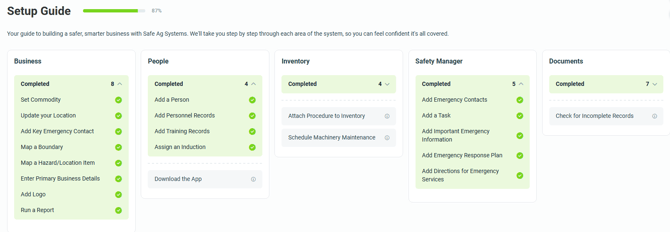
The Setup Guide can be accessed from Administration > Setup Guide. For new clients, it also appears in the left menu.
-
Any completed items are green, and can be actioned again by clicking Completed, then the heading.
-
Any outstanding items are grey. Click the heading to be taken to the area of the system to complete.
- Click the info icon
 on the right hand side of an item for more details and a time estimate of how long this could take.
 - Once an item is completed, a pop up will appear to take you to the next item or back to the Setup Guide.
- As the Setup Guide is completed, additional tasks may be made available.
Need Help?
- Contact our Client Experience Team here.