
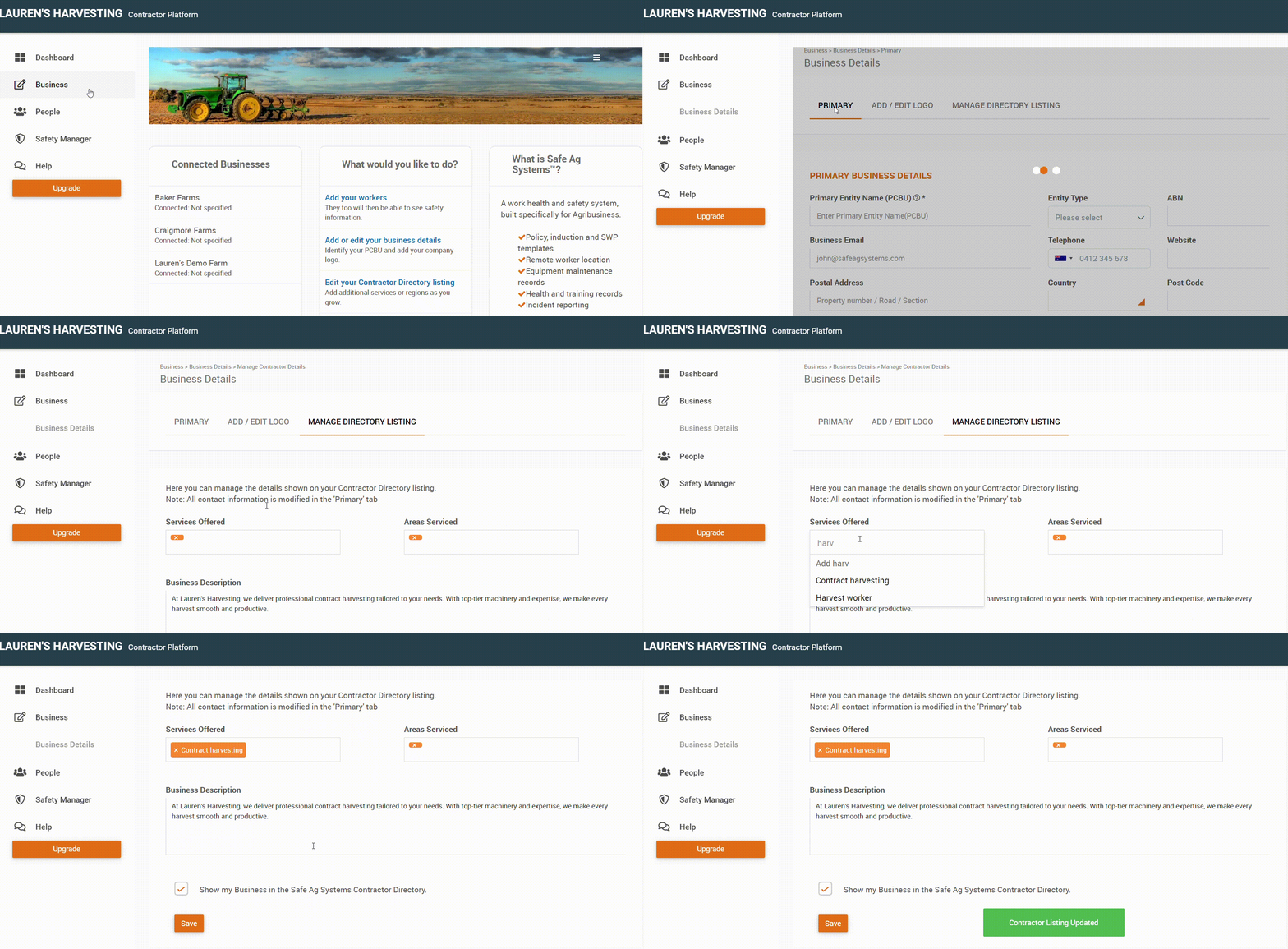
- Navigate to Business > Business Details.
- Select the Manage Directory Listing tab.
- Make the required changes, and press Save.
- If Show my Business in the Safe Ag Systems Contractor Directory is not ticked, businesses will not be able to connect with you.