Note: Your Access Level may restrict the use of some features.
The following PPE Icons are available:
| Apron Bee Veil Broad Brimmed Hat Chaps Chemical Resistant Boots Dust Mask Eye Protection Face Shield Fire Extinguisher First Aid Kit Gloves |
Hair Net Hard Hat/Head Protection Hearing Protection Hi-Vis Clothing Life Jacket Long Sleeve Shirt Mobile Motorbike Helmet No Loose Fitting Clothing Personal Locator Beacon Protective Clothing |
Respirators Safety Boots/Foot Protection Safety Buoy Safety Harness/Fall Protection Shoe Covers Sunglasses Sunscreen 30+ UHF Radio Water Welding Mask |
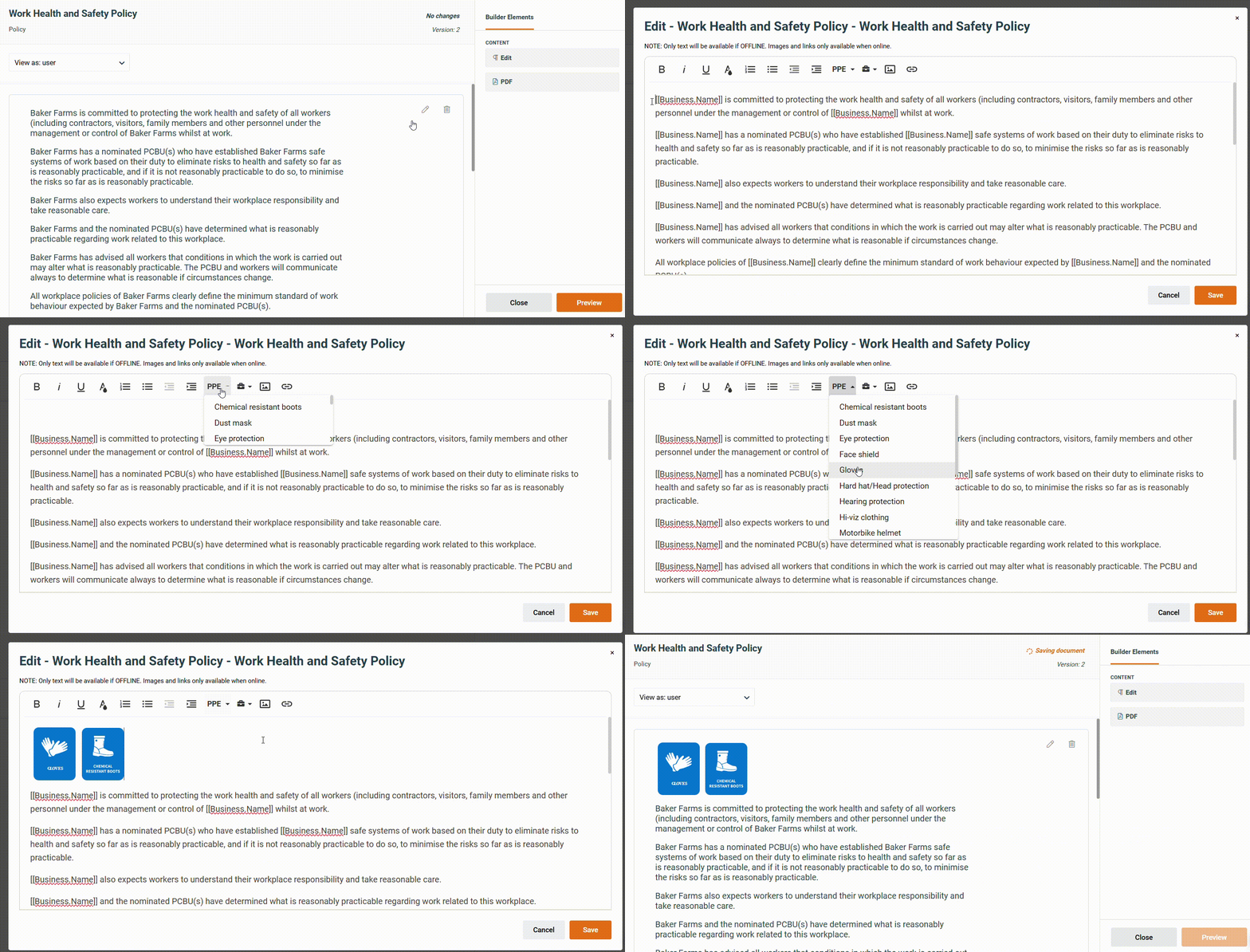
Inserting PPE Icons into a Policy
- From the left menu, navigate to Documents > Policies.
- Create a New Policy or Edit an Existing Policy.
- See Creating Policies or Editing Policies.
- Place the curser where PPE icon is needed.
- Click the PPE Dropdown and select the icon needed. Repeat as necessary.
- Press Save and publish the Policy once complete.