Note: Your Access Level may restrict the use of some features.
The Home screen can be accessed at any time by tapping Home  in the Quick Access Menu, it's also where the App will load after opening.
It provides an overview of your outstanding actions that may require follow-up and your recent activity.
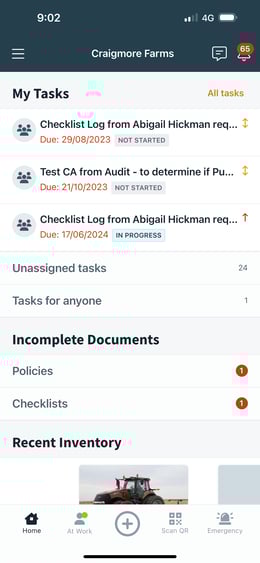
From Home you can access:
- Main Menu

- Noticeboard

- Notifications

My Tasks: Shows a list of outstanding Tasks for the user, as well as:
-
Unassigned Tasks: Outstanding Tasks that are not assigned to anyone.
-
Tasks for anyone: Tasks that anyone can assign and complete.
Incomplete Documents: Displays the number of incomplete Inductions, Policies, Procedures, and Checklists for that user.
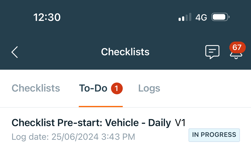
Recent Inventory: Displays the last 5 Inventory items a user has completed an action on, for that device.
- Actions include editing details, adding an odometre or engine hour reading, adding or editing maintenance, running a Checklist or accepted a Procedure on the item
Recent Documents: Displays Accepted Policies and Procedures, and In Progress or Completed Checklists and Inductions.
Emergencies: When a Fire or Medical emergency is triggered, an Emergency Alert banner will appear at the top of the Home screen.
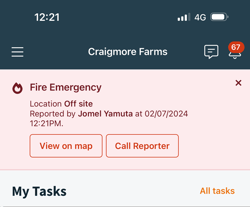
Note: Call Reporter will not display if:
- The Reporter is the user logged in.
- For Workers and Contractors, if the Reporter has not shared their phone number in My Details.
- The Reporter does not have a phone number saved in My Details.